eBupot
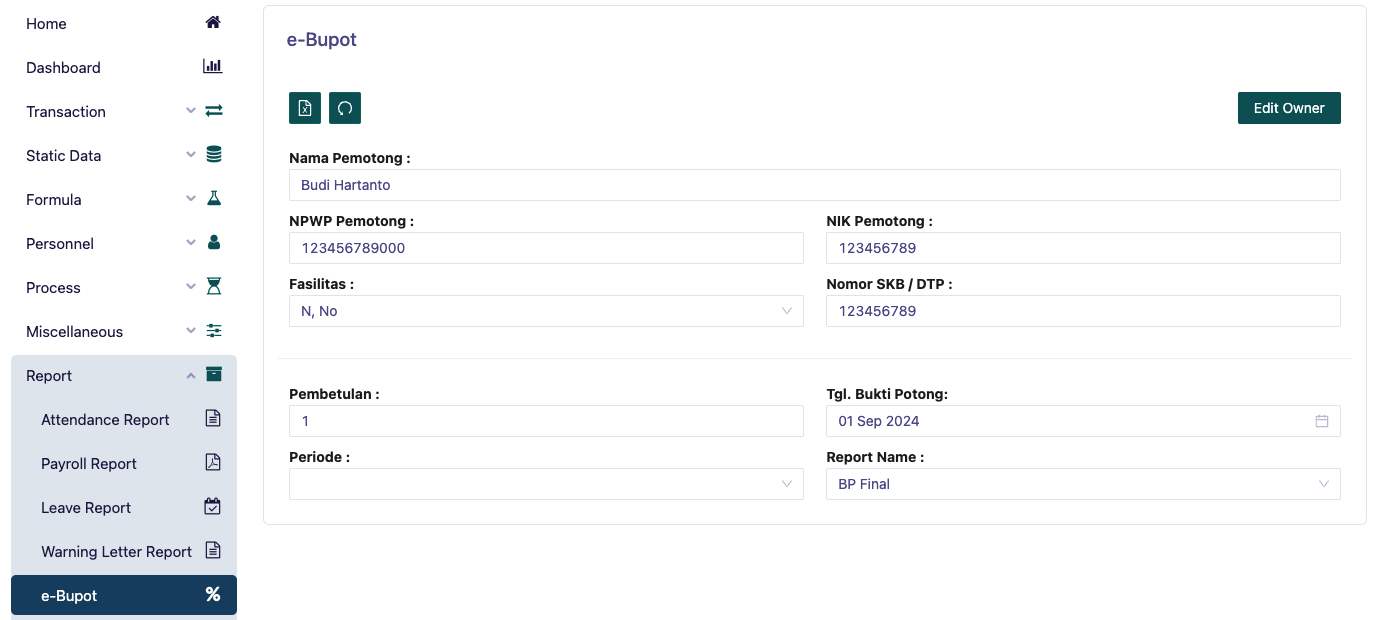
This page is a menu for printing employee eBupot reports. You must first fill in the name of the withholding agent, the withholding NPWP, select facilities based on the exemption certificate (SKB), government-borne tax (DTP) or no (N). Then fill in the Withholding NIK, and SKB/DTP Number if any.
You must determine Print By by filling in the correction if not a correction then fill in with '0', select the desired payroll period, then fill in the withholding evidence date with the end date of the payroll period.
After that, determine Report Name there are several options such as:
BP Final This report is used to display the employee's final BP in the selected period
BP Not Final This report is used to display the employee's non-final BP in the selected period
Monthly Tax Withholding This report is used to display the employee's monthly tax withholding in the selected period
PP58 Monthly Tax Withholding This report is used to display the employee's PP58 monthly tax withholding in the selected period
PP58 A1 Monthly Tax Withholding This report is used to display the employee's PP58 A1 monthly tax withholding in the selected period
PP58 Final Monthly Tax Withholding This report is used to display the employee's PP58 Final monthly tax withholding in the selected period
Then you can download the report to be printed in xml format.