Leave Report
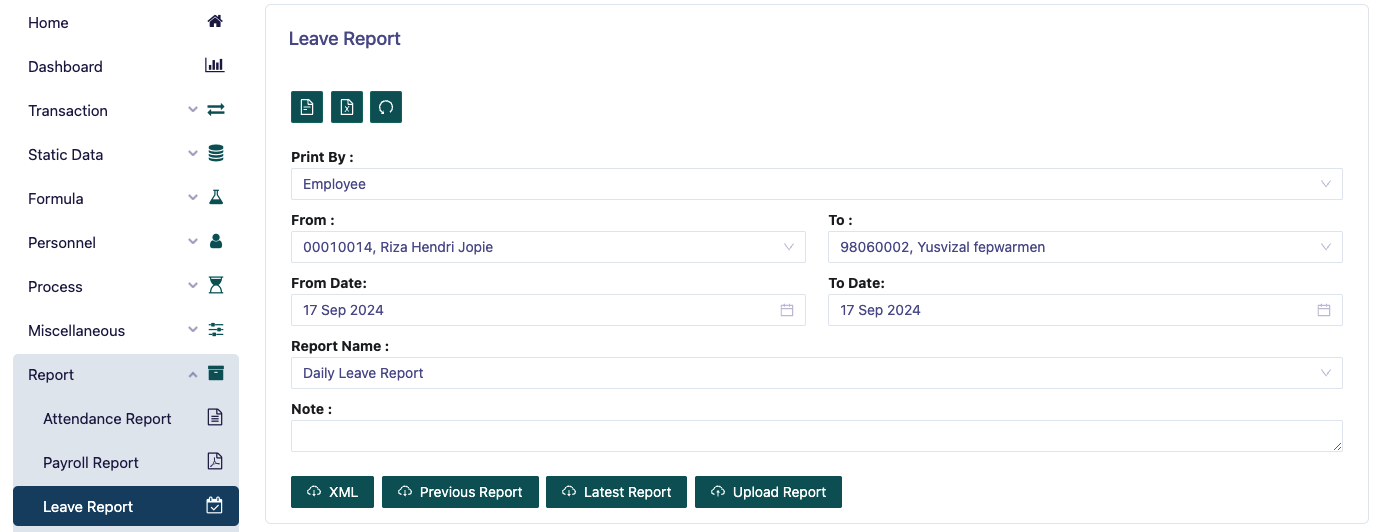
This page is a menu for printing employee leave reports. You must determine Print By whether based on employee or department.
Then determine the range from a certain Employee ID to the desired one.
Then determine the range from the desired date.
After that, determine Report Name there are several options such as:
Employee Leave Listing This report is used to display a list of employee leaves taken from a certain date range.
Daily Leave Report This report is used to display details of employee daily leave.
Lease Accrual This report is used to display details of lease accrual from employee leave.
Leave Balance Report This report is used to display details of employee actual leave balance.
Monthly Summary By Department This report is used to display a summary of the leave taken by employees per department.
Monthly Summary By Designation This report is used to display a summary of the leave taken by employees per designation.
Then you can preview the report that will be printed, and download the report in pdf format.
Then you can also download the report that will be printed in xml format if desired.