OT Rate
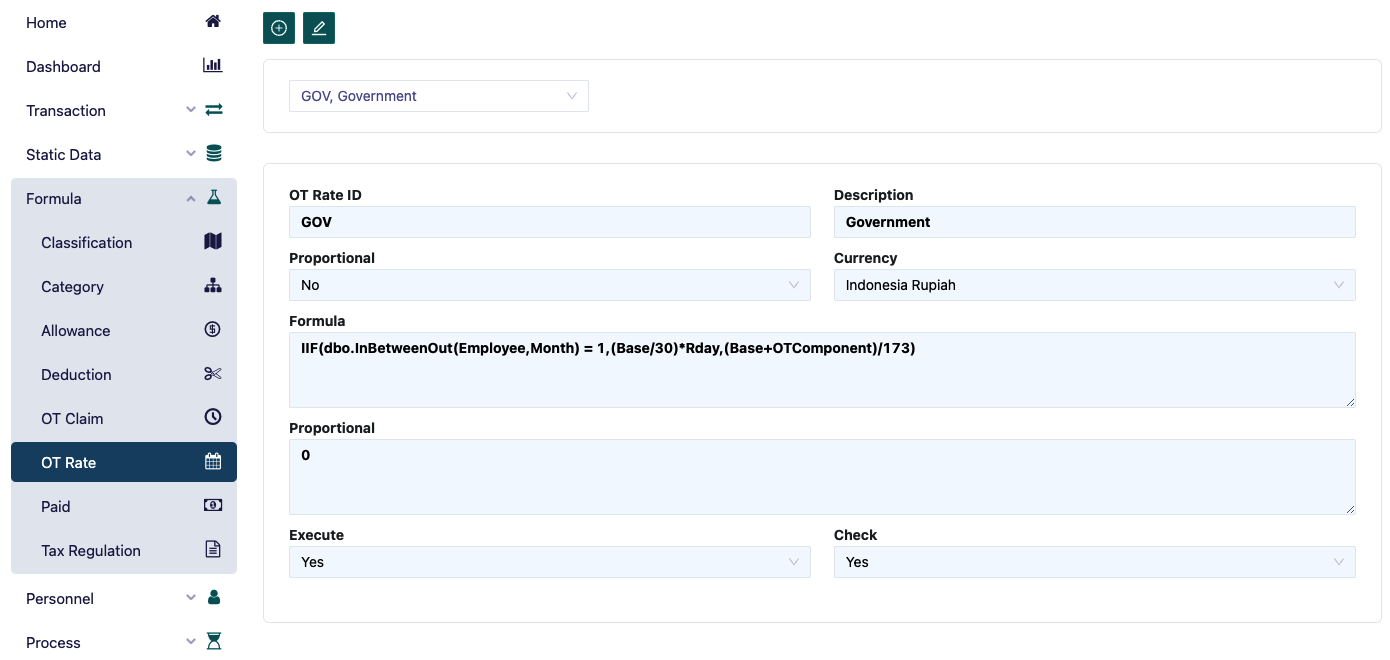
The OT Rate form is used to define the overtime rate. The steps required to enter the OT Rate formula are as follows:
- The way to fill in the fields in the OT Rate is the same as in the Paid menu. Example of an OT rate formula according to government regulations: (Base + OT Allow) / 173. OT Allow is equal to OT allowance, where its value is determined when entering data in the allowance menu for all types of allowances where the OT Rate Component field is selected as ‘Yes’.
- In the Currency field, choose the currency used for calculating the overtime rate.
- In the member column, the list of employees will automatically appear after the type of Paid is selected in the Category menu in the OT rate field. To view it, click the list member button.