Tax Regulation
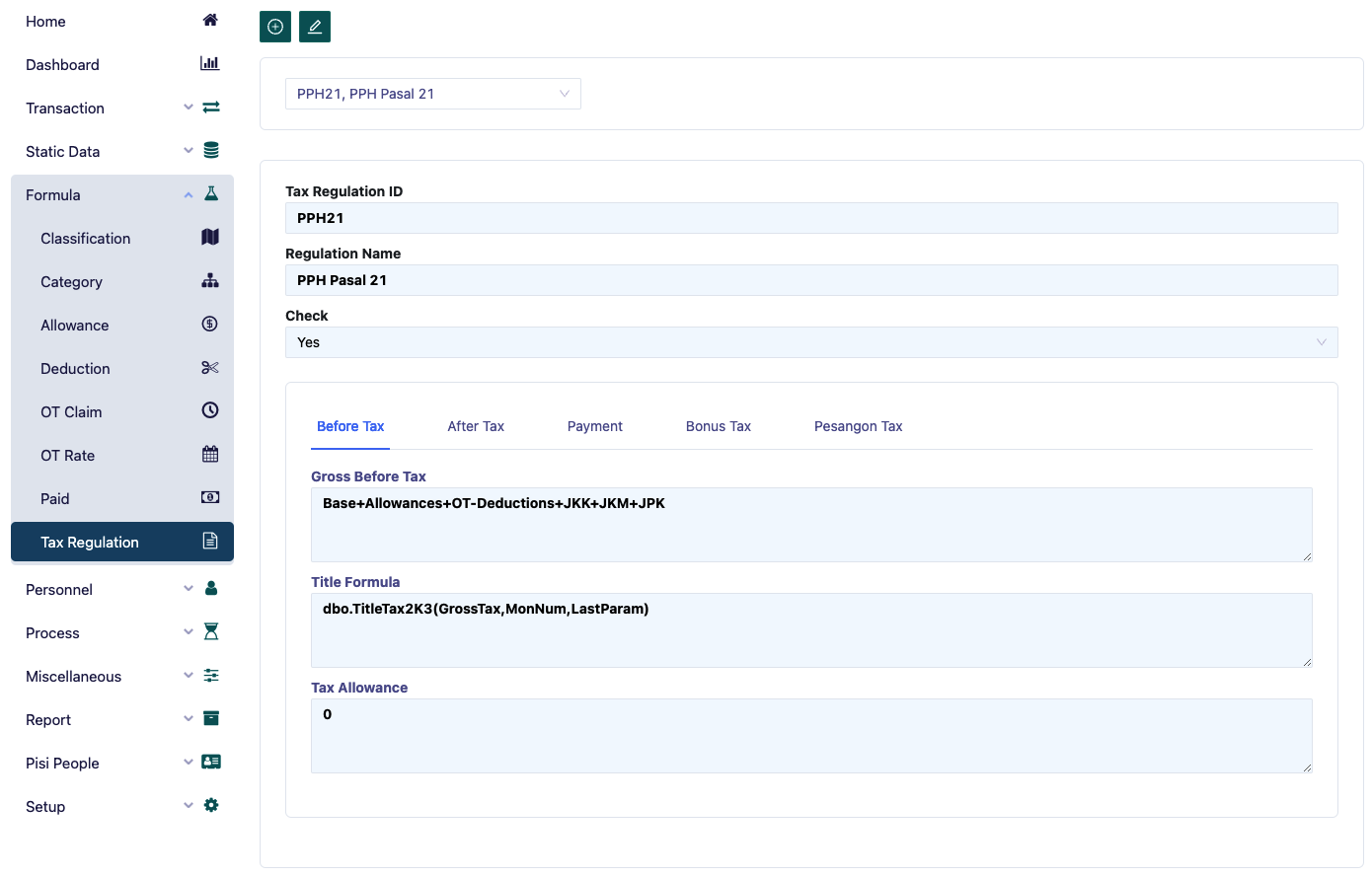
The Tax form functions to input formulas for calculating taxes (both PPh 21 for domestic taxpayers and PPh 26 for foreign taxpayers). The tax to be formulated will depend on the formula used, where the tax can be paid by the employee or by the company, with different formulas applied.
Starting in January 2003, the government provided tax relief or subsidies for employees who are not part of the management structure in the company's Articles of Association and Bylaws, as stated in government regulations.
The tax subsidy amount is the local minimum wage (UMR or UMK) minus the personal exemption (PTKP), multiplied accordingly.
The steps to enter the tax formula are as follows:
- In the Tax regulation ID field, type the type of PPh. Example: PPh 21 / PPh 26.
- In the Regulation Name field, type the name of the PPh. Example: PPh Article 21.
Before Tax
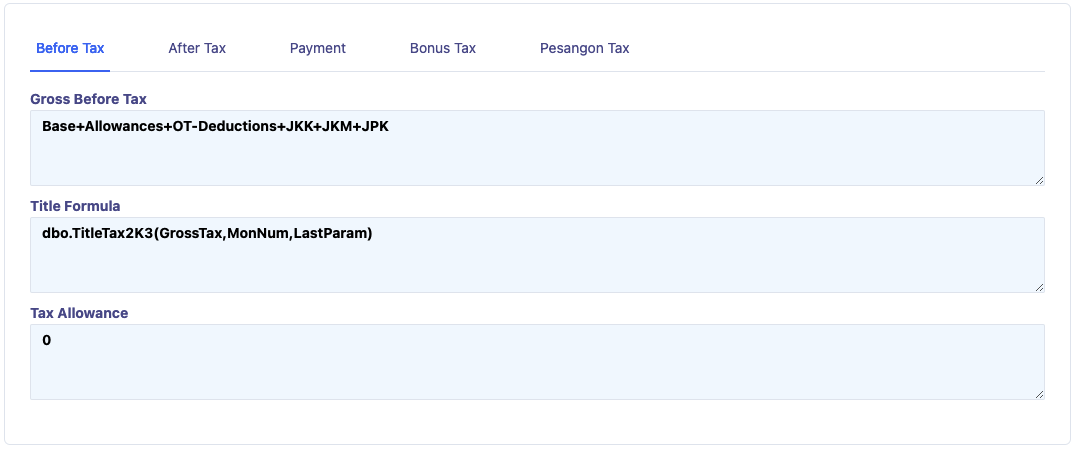
- In the Gross Before Tax field, enter the formula for gross salary for tax calculation. Example: Base+OT+Allowances-Deductions+JKK+JKM. (Gross salary + Overtime + Allowances (the value is determined when entering the allowance data, where the Tax Component field is selected as ‘Yes’) + Deductions (the value is determined when entering deduction data, where the Tax Component field is selected as ‘Yes’) + JKK + JKM (the JKK and JKM formulas are entered in the Category menu, Assurance column)).
- In the Title Tax field, type the formula for title allowance. Example: Title tax (GrossTax).
- In the Tax Allowance field: This is only used when the tax formula applied is the Gross-Up system, where the tax is paid by the company, so the employee is considered to receive a tax allowance, which will also be taxed.
After Tax
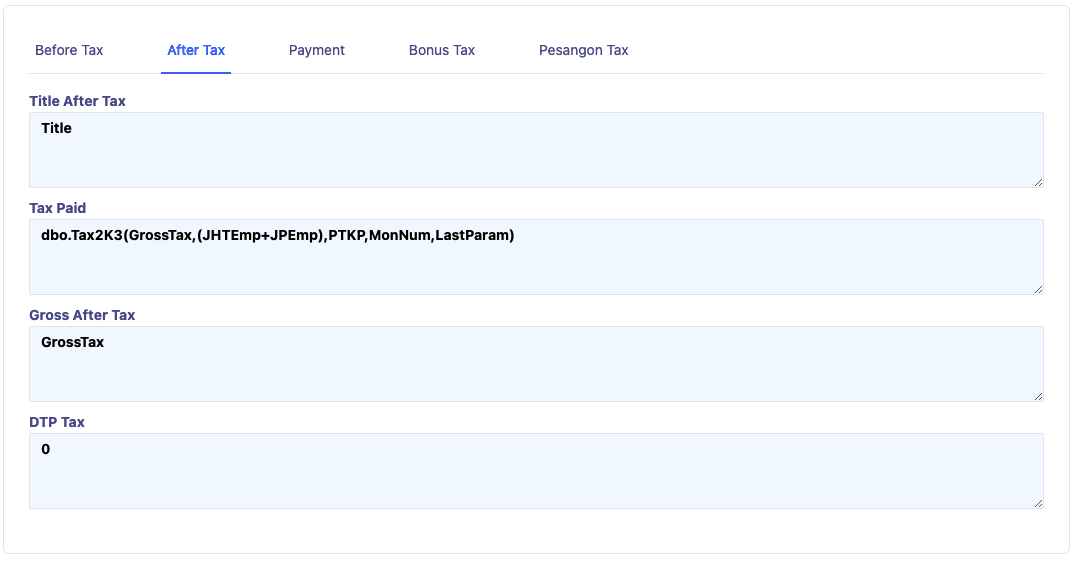
- Title After Tax: is the position cost, which is a tax deduction calculated as 5% of Gross Tax, with a maximum value of IDR 108,000.00 per month, in accordance with government regulations.
- Gross After Tax: is the gross amount after tax.
- DTP Tax: is the formula for calculating the tax subsidy provided by the government.
Payment

Tax payment calculation.
Bonus Tax
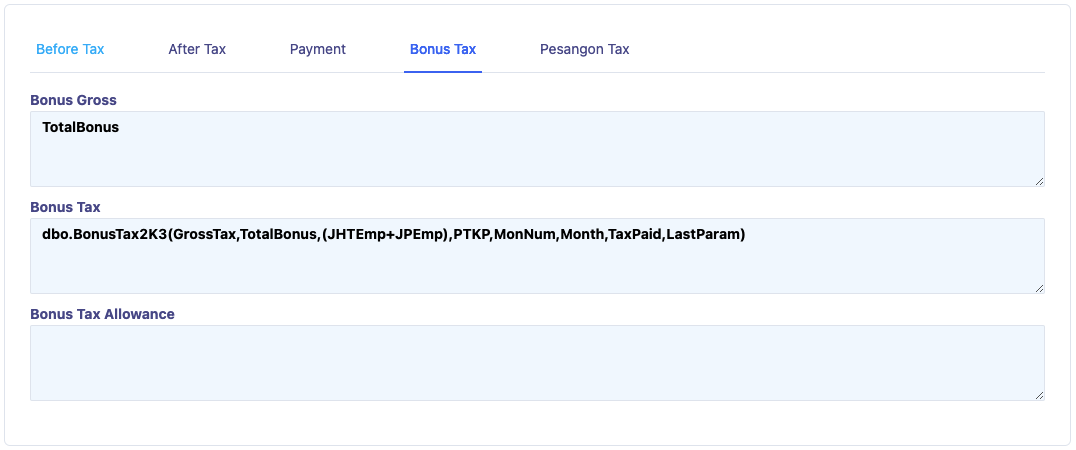
Used to input the formula for calculating tax on bonuses.
Severance Tax
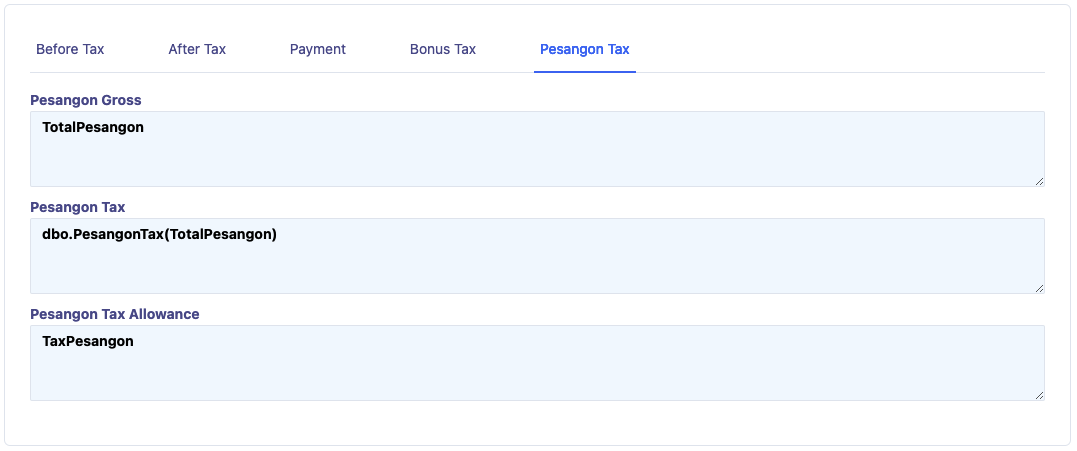
Used to input the formula for calculating tax on severance payments, where the severance will be taxed on a final basis.