Period
The fourth page of the Transaction Menu Period Page which functions to fill in the initial and final period (cut off) given in employee salary payments. PISI is able to handle the division of periods into several sub periods, for example, if there is a change in the UMR (regional minimum wage) in the middle of the period, the period will be divided into two where several payments that depend on the basic salary will be affected, such as overtime, meals and others.
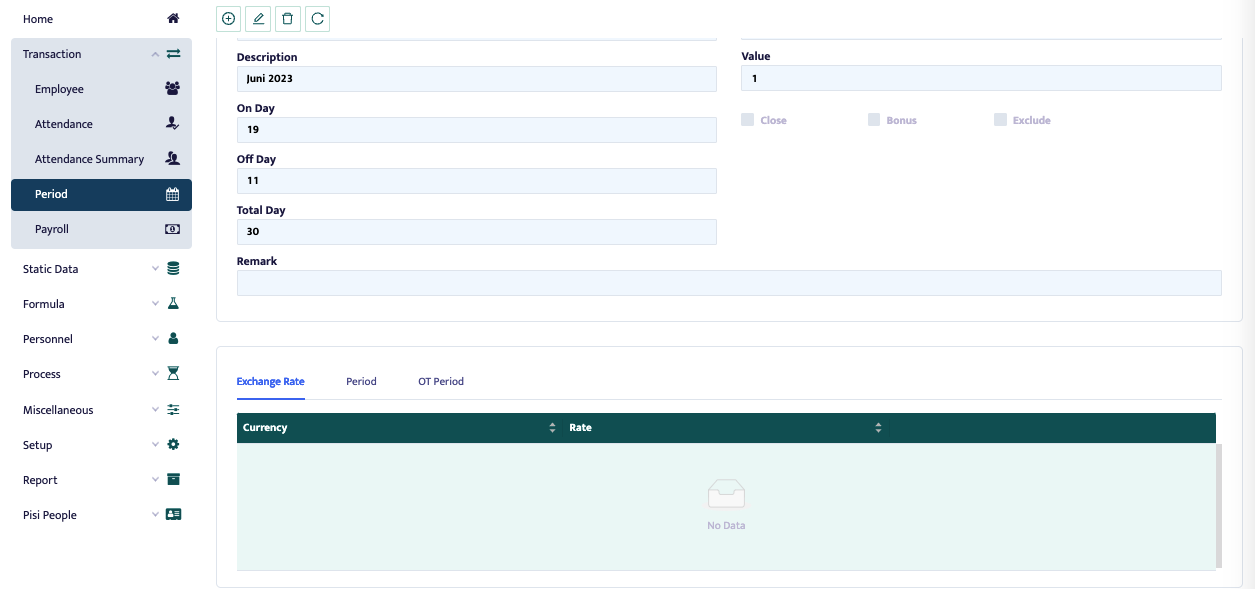
- Create a Period by pressing the button at the top left of the form
- Month ID: for the period ID, for example 202301 for January 2023
- Description: Description of the Period to be created.
- OnDay: the number of working days in the cut off.
- OffDay: the number of holidays in the cut off.
- Summary ID: Filled in according to the list provided and must be in accordance with the month that has been created because it will affect the tax calculation.
- Value: filled with a value of 1 if in that month there is only 1 payroll (employees only get 1 payroll), will be filled with a value of 0.5 if in that month there are 2 payrolls. For example, in 1 month employees get their salary every 1st and 15th of the month.
- Close: if in the preview or posting options you do not want to display. This is to prevent data from being re-posted.
- Bonus: if the period we create is included in the Bonus period, this will affect Tax
- Exclude: if the period in question will not affect tax. Usually the period used to estimate how much salary. After completing the column, press save on the button on the top right of the image
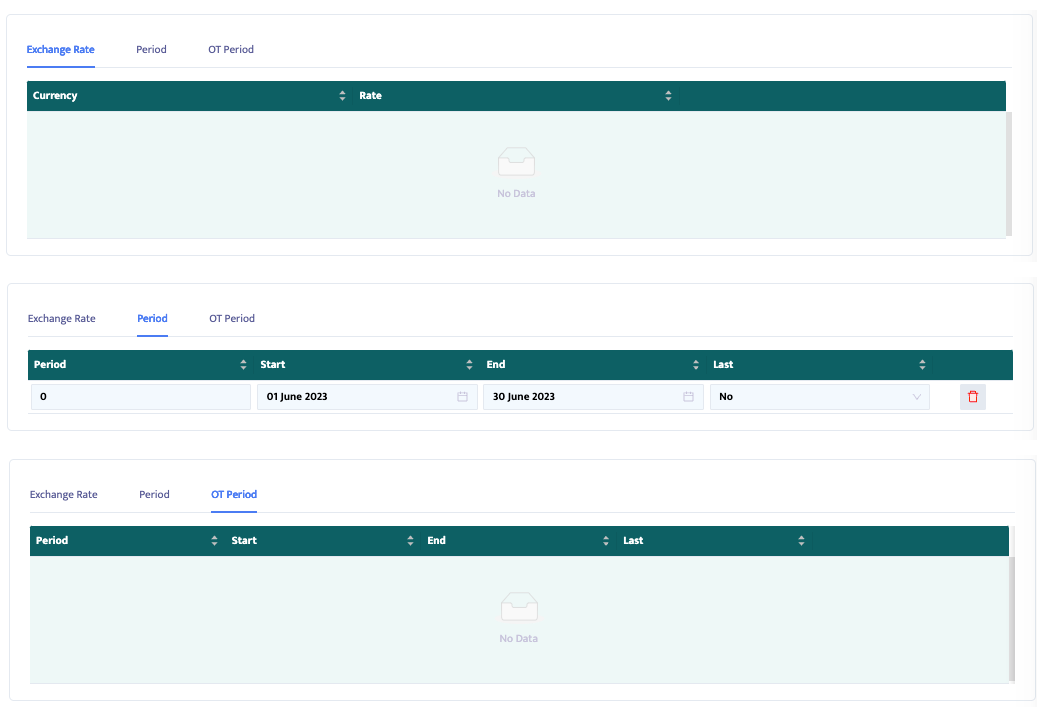
- In the Exchange rate column, enter the rate used in that month, if the company has employees who receive dollar, yen and so on salaries, then the exchange rate is filled in with several foreign currency rates.
- In the Period column, type Start payroll start date and End payroll end date (company cut off date)
- In the OT Period column, type Start OT payment start date and End OT payment end date.